
CyberTrip navigation for Tesla
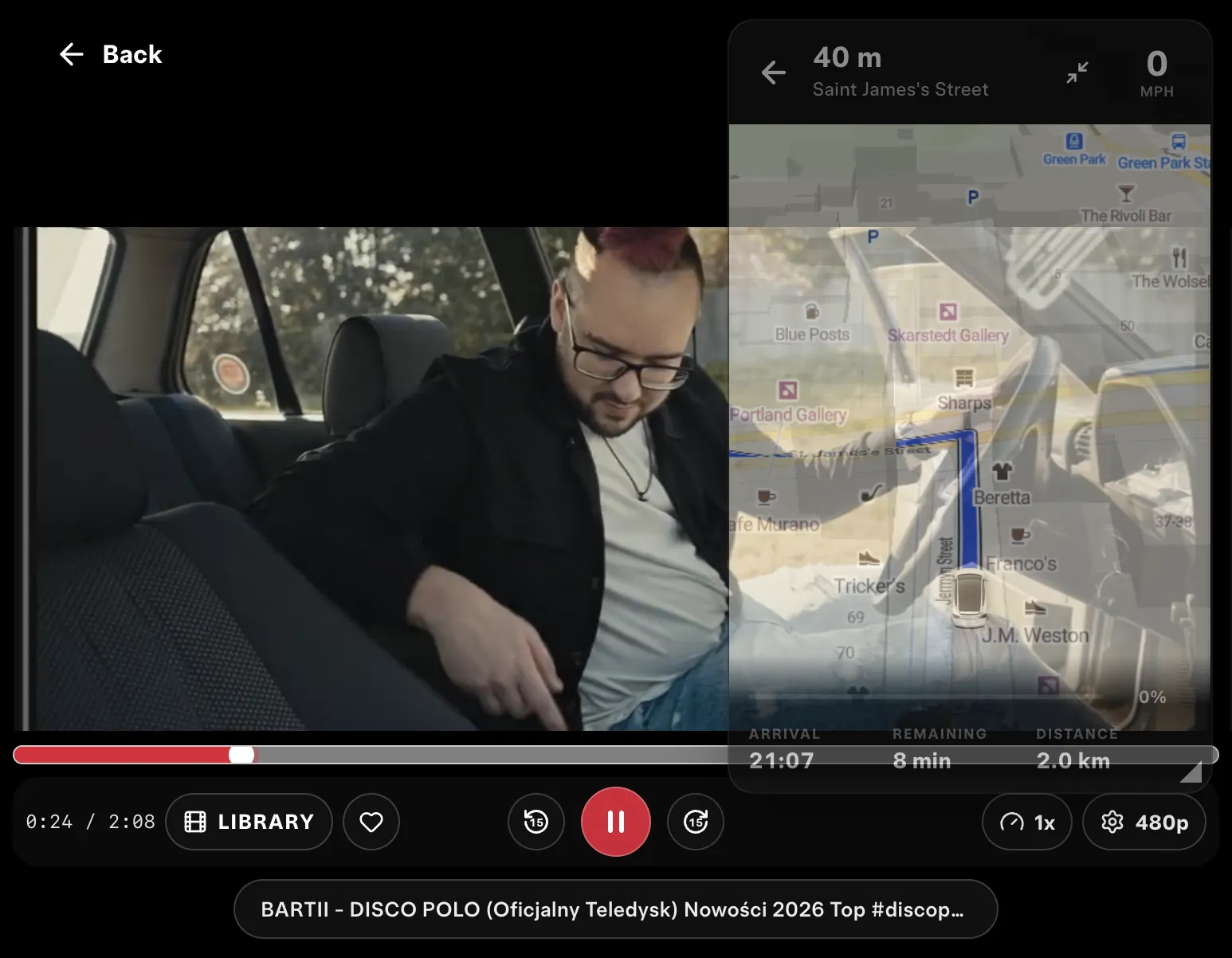
Navigation on top of any app — keep the route on the Tesla screen while a movie or series plays.
24h free · then $11.99/mo or $99.99/yr



What you can do with CyberTrip
Widget mode
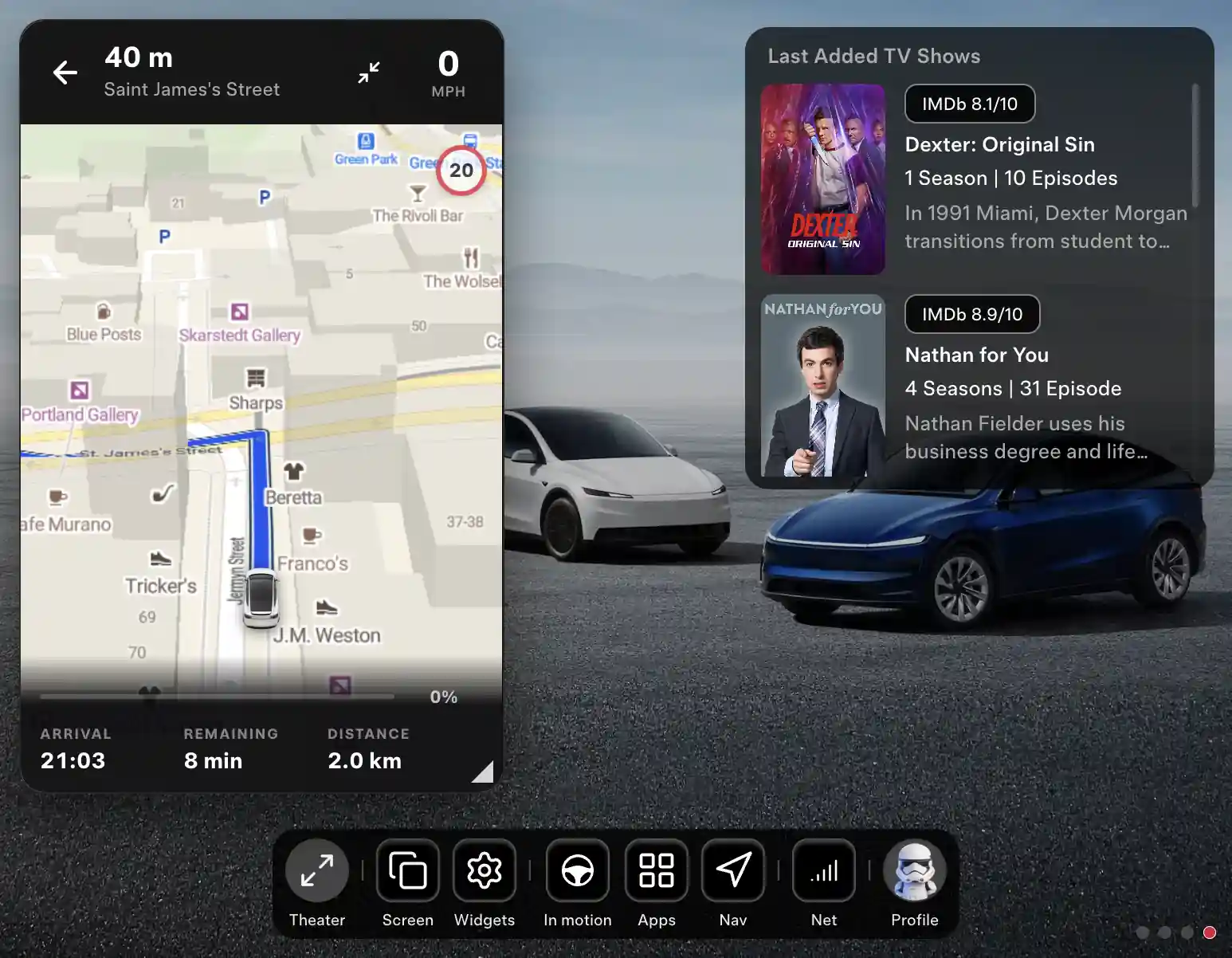
A floating picture-in-picture map stays on top of every CyberDash app: movies, series, YouTube, IPTV.Adjustable transparency
Set the widget from 50 to 100% so the movie or series below stays visible.Resize and expand
Drag the bottom-left corner to resize the widget, or expand it back to the full map.Send from your phone
Send a destination address to the navigator straight from your phone.Where to?
Search for an address or a place to go.Home, Work and Favorites
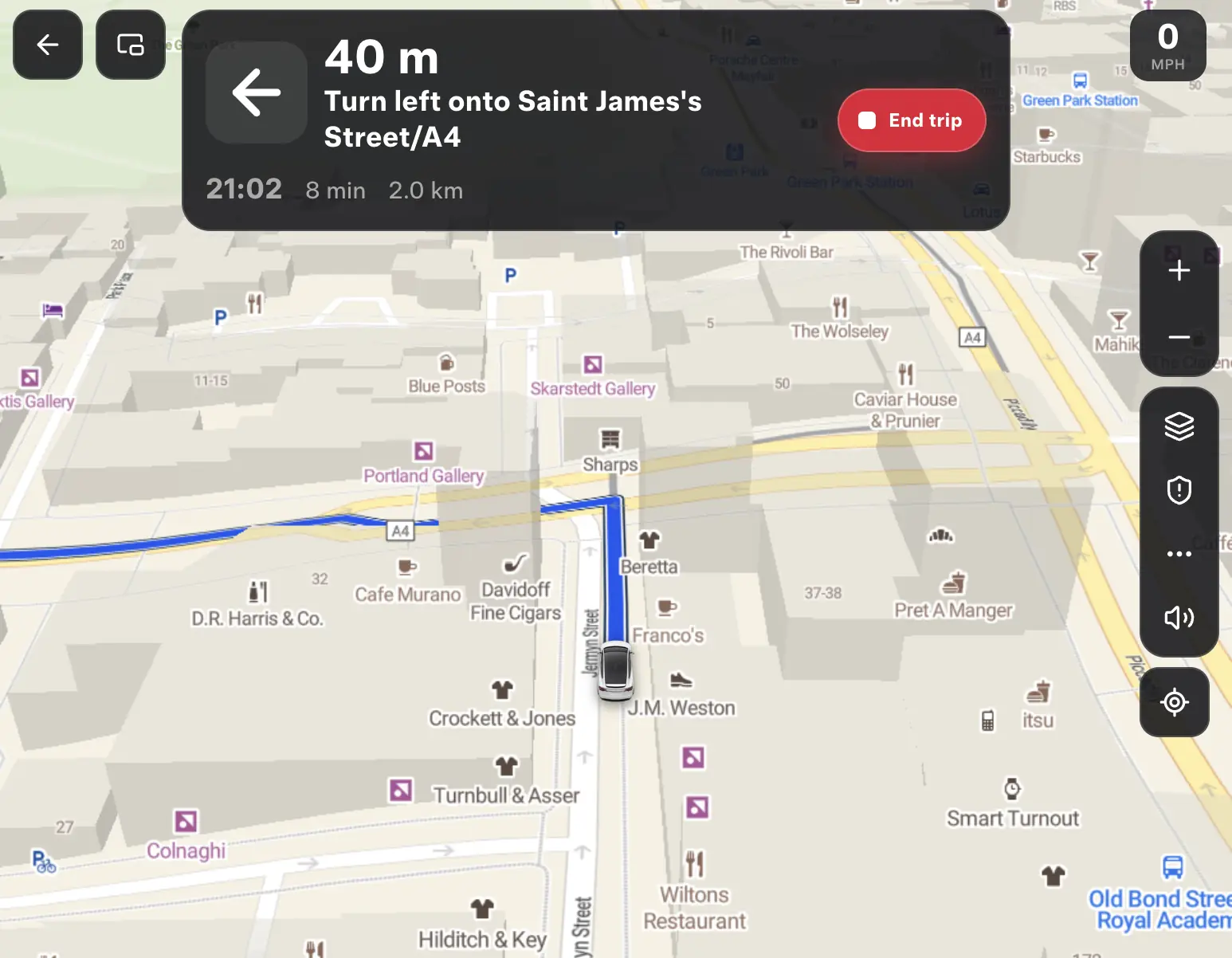
Pick Home, Work or one of your Favorites as the destination in one tap.2D, 3D and satellite maps
Switch the map view between 2D, 3D and satellite.Live traffic
See live traffic on the map and on the route.Speed cameras
See speed cameras on the map.EV routing
Routes built for electric cars.Map controls
Zoom, sound on or off, and jump back to your location.Your car icon
Choose the car icon shown on the map.
How CyberTrip navigation works
- 1Open CyberDash
Open cyberdash.net in Tesla’s native browser and sign in. CyberTrip sits on the CyberDash dashboard with the other apps — nothing to install in the car.
- 2Set the route
Open CyberTrip and tap “Where to?”, or choose Home, Work or a Favorite. You can also send the address from your phone. Pick 2D, 3D or satellite view and turn on live traffic.
- 3Switch to widget mode
Turn the map into a floating widget, set its transparency and size, and open any CyberDash app under it. Keep your eyes on the road — video in motion is for passengers only.
FAQ: CyberTrip navigation in Tesla
What is CyberTrip?
CyberTrip is the CyberDash navigation app for Tesla’s browser. It shows a map with a route, and in widget mode it floats over movies, series, YouTube and every other CyberDash app.
Can I watch a movie and see the route at the same time?
Yes. Switch CyberTrip to widget mode, set the transparency from 50 to 100% and the size you want, then open a movie or series under it. Video in motion is for passengers; the driver watches the road.
Can I send a destination from my phone?
Yes. Send the address from your phone and it lands in the navigator in the car. You can also search with “Where to?” or pick Home, Work or a Favorite.
Does it show traffic and speed cameras?
Yes. CyberTrip shows live traffic and speed cameras on the map, offers 2D, 3D and satellite views, and builds routes for electric cars.
Is CyberTrip a copy of another navigation app?
No. CyberTrip is built from scratch by the CyberDash team to run in the browser and in widget mode. It does not depend on other apps, and new features are added step by step.
Your route over any app starts tonight.
Try CyberDash 24 hours free with CyberTrip navigation
24 hours free. Then from $8.33/mo.